
Queue Management provides visibility into data sources that are currently queued or in progress for discovery. Organized by collector groups, entries in the queue are listed in their scheduled order of execution.
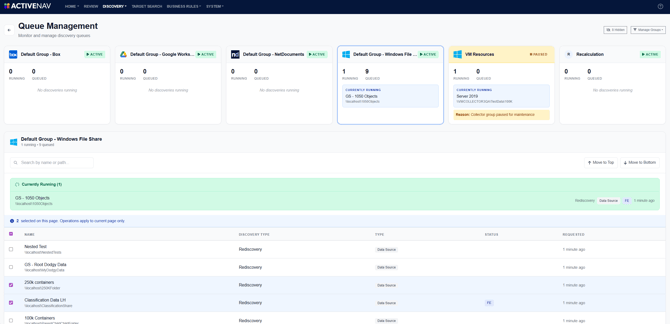
Queue Management can be accessed by clicking the Manage Queues button on the main Discovery Management page. 
Prioritizing data sources
The discovery execution order can be adjusted to prioritize specific data sources. To do this, select the checkbox for the desired data source, then click Move to Top or Move to Bottom to update its position in the queue.

Note - Reordering discoveries can be performed for single or multiple discoveries.
Queue Entry Details
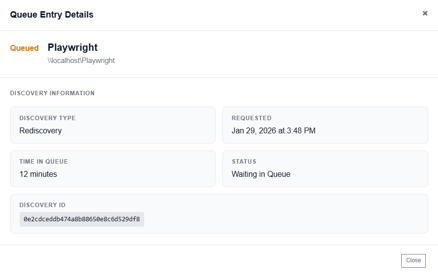
When a discovery is in progress or queued, clicking its entry opens the queue details, providing key status and performance metrics.
Managing Groups
By default, all of your tenant's collector groups are shown. You can simplify this view to display only the collector groups you want to work with. To adjust which groups are visible, click the Manage Groups button to open the group visibility menu:
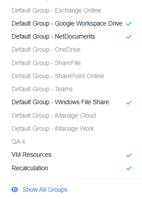
Deselect any collector groups you don’t need, and they will be removed from the Queue Management view. To bring them back, select those groups again individually or click the Show All Groups button.
To temporarily view all collector groups, including those that have been hidden, click on the Hidden button: