
Data Sources are the objects that ActiveNav Cloud processes to discover content; they are created to manage resources efficiently. Data Sources manage the interaction between ActiveNav Cloud and any given repository.
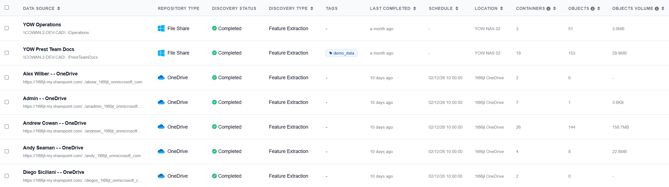
A Data Source is uniquely defined by its address; the address format will depend upon the repository. Data Sources can be defined at any level of a repository hierarchy.
Note - To add a new data source, please see the How to Create a Data Source article
The progress of a data source's discovery can be checked at any time by clicking on it to reveal its details panel.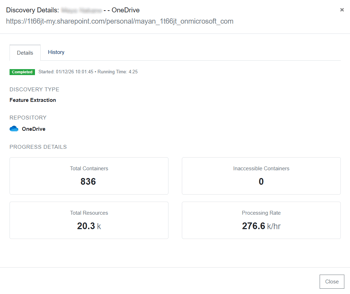
Repository
A Repository is the type of storage within which a customer manages resources. Each type of repository will require a different approach to connect to and will likely have a different and distinct range of resource types, properties, and structures. Examples of repository types include:
- File Share - a Windows Shared directory that the Collector accesses.
- SharePoint - a server URL used to store, organize, share, and access data within an organization.
- Teams - the messenger service Teams' chat history.
- OneDrive - OneDrive is the Microsoft cloud service that connects you to all your files. It lets you store and protect your files, share them with others, and get to them from anywhere on all your devices.
Data Source Friendly Name
This friendly name lets you know what the Data Source represents in your data repository. For example, we may call our Data Source "Sales" when we have targeted the \\RBT-543.prestteam.local\Sales file share.
Caution - There are some reserved characters that cannot be used in data source friendly name, including - < > : \ " / \ | ? *
Discovery Type
This setting determines which type of Discovery action should be performed. Discovery is limited to gathering the resource hierarchy and gathering basic metadata, while Feature Extraction captures information from within the content of a given resource.